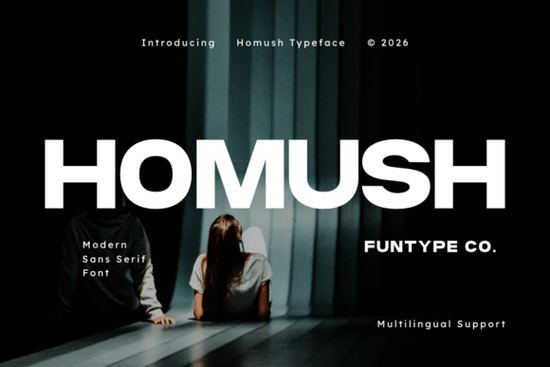
The Homush Font is a wide, geometric modern sans serif built for bold, high-impact typography. If you work on branding, apparel, packaging, or digital graphics, this typeface gives you clean lines and a commanding presence that holds up at any size. It's available as both Homush OTF and TTF files, so it drops right into your workflow whether you use Adobe, Canva, or cutting machine software.
What Makes Homush Different From Other Sans Serif Fonts?
Not all sans serif fonts carry the same weight visually or functionally. Homush has an extended geometric structure that stretches wider than most standard sans serifs. That extra width gives headlines and logos a grounded, stable look. The letterforms are bold without being heavy, and clean without feeling sterile.
It sits in a sweet spot between aggressive display fonts and everyday workhorse typefaces. You get personality without sacrificing readability.
What Should I Use the Homush Font For?
Homush is a display font, which means it works best at larger sizes. Think headlines, logos, signage, and titles not body copy. Here are some real-world uses where it fits naturally:
- Streetwear and urban clothing labels wide letters look great stacked on tees and hoodies
- Sports team logos and athletic branding the bold geometry conveys strength and confidence
- Technology product packaging clean, modern, and professional
- Digital posters and social media banners reads clearly even at a glance
- Website hero sections and headers makes an immediate visual statement
- Print-on-demand merchandise tote bags, mugs, phone cases, and sticker designs
If you're designing for POD platforms like Merch by Amazon, Redbubble, or Etsy, Homush reproduces well across DTG, sublimation, and screen printing. Its clean geometry avoids the thin lines or small details that sometimes cause printing issues.
Does Homush Work for International Projects?
Yes. Homush includes full multilingual support, covering characters for a wide range of Latin-based languages. If you sell designs to international audiences or create products for European markets, you won't run into missing glyphs or awkward substitutions.
How Does Homush Compare to Similar Fonts?
If you like the bold display category but want to explore different moods, there are several fonts worth considering alongside Homush.
Grandeur leans into a similar commanding style but with its own character useful when you want that strong presence with a slightly different personality. For projects that need an edgier, more broken-up look, Breaking offers a rougher take on bold display typography.
On the softer side, Blush takes a different direction entirely lighter, more feminine, and well-suited for beauty, lifestyle, or boutique branding. And if your project calls for something more organic and flowing, Spring Spirit brings a hand-lettered feel that works for seasonal designs and nature-themed graphics.
Choosing between these comes down to tone. A fitness brand or tech startup will likely gravitate toward Homush's bold geometry. A florist or wellness brand might be better served by one of the softer alternatives above.
What Software Can I Use With Homush?
Since Homush ships in both OTF and TTF formats, it works with nearly every design and crafting application:
- Adobe Illustrator, Photoshop, and InDesign
- Canva and Figma
- Cricut Design Space and Silhouette Studio
- Affinity Designer and Publisher
- Procreate on iPad
Installation is straightforward download the files, double-click, and install. The font then appears in your software's font menu, ready to use.
What Should I Check Before Using Homush in Commercial Work?
Before you sell products using any font, always verify the license. Creative Fabrica typically includes commercial use with their fonts, but specific terms can vary. Make sure the license covers your intended use especially if you're selling merchandise, digital downloads, or using the font in client work.
It's also worth testing the font at the exact size and medium you plan to use. A typeface that looks sharp on screen may need slight adjustments for print. Homush's bold, clean lines generally reproduce well, but a quick test print never hurts.
Quick Checklist Before You Start Designing
- Confirm the license covers commercial or POD use for your project
- Download both OTF and TTF to stay flexible across different software
- Test at multiple sizes Homush performs best at larger display sizes
- Pair with a complementary body font if your design needs paragraph text
- Check multilingual characters if designing for non-English markets
- Run a test print before committing to a production run
Next step: Download Homush and set up a quick test layout a mock headline, a logo concept, or a t-shirt design. Seeing the font in context with your actual project will tell you faster than anything else whether it's the right fit.
Explore Design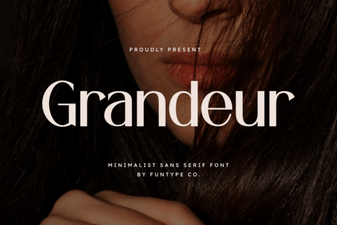 Elevate Your Designs with Grandeur Font
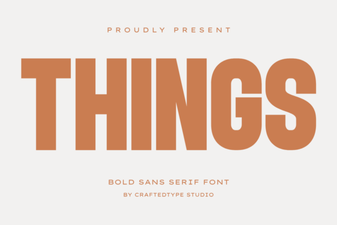 Things Font: Clean Design Ideas for Modern Projects
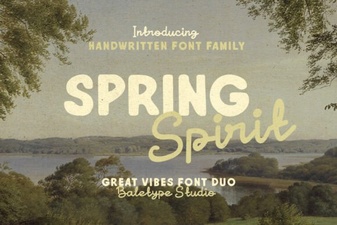 Spring Spirit Font: Fresh and Creative Typography for Your Designs
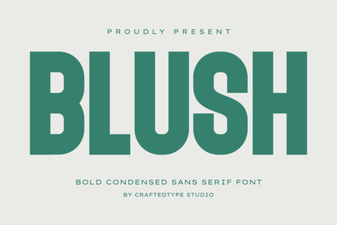 Blush Font: Elegant Script for Creative Design Projects
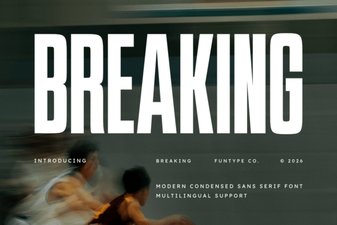 Breaking Font: Bold Typography for Creative Design Projects
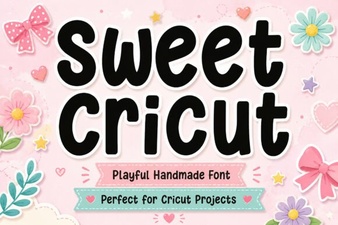 Sweet Cricut Font Ideas for Beautiful Diy Projects