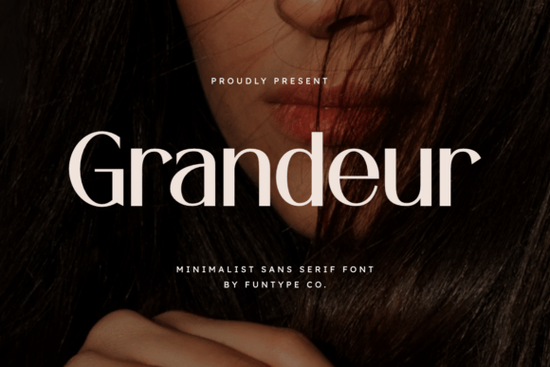
Grandeur Font is a bold, minimalist sans serif typeface built for projects that demand visual precision and strength. It features clean geometric lines and a solid structure that holds up beautifully at both large display sizes and smaller body text. If you work on branding, packaging, or digital content and need a typeface that looks polished without being overly decorative, this font is worth a closer look.
What Makes Grandeur Font Stand Out from Other Sans Serifs?
There are thousands of well-crafted sans serif typefaces available today, so picking the right one can feel overwhelming. What sets Grandeur apart is its balance between boldness and restraint. The letterforms are confident without feeling aggressive, and the even weight distribution across characters gives typeset text a clean, professional rhythm.
Unlike some display fonts that sacrifice readability for style, Grandeur keeps every letter sharp and legible. The spacing between characters feels intentional, which means less time tweaking kerning and more time focusing on layout and composition. For designers who value efficiency, that matters.
Who Is This Font Best Suited For?
Grandeur works especially well for anyone creating visuals where first impressions count. Here are some specific use cases:
- Luxury branding Its refined proportions pair well with premium brand identities, especially in fashion, beauty, and lifestyle spaces.
- Headlines and hero text The bold weight makes a strong statement on websites, posters, and social media graphics.
- Logo design The clean geometry adapts well to logomarks that need to feel modern and timeless at the same time.
- Print-on-demand products POD sellers can use Grandeur on apparel, mugs, and tote bags for a polished, commercial-ready look.
- Digital posters and ads Its high-impact structure catches the eye even at a glance, which is exactly what advertising needs.
If you're a small business owner creating your own marketing materials, Grandeur gives you a professional typographic foundation without needing a design degree to use it well.
How Does It Compare to Other Creative Fabrica Fonts?
Choosing the right font often comes down to the mood you want to set. Grandeur leans bold and authoritative, but depending on your project, you might want something softer or more playful. Here are a few alternatives worth comparing:
- Spring Spirit A lighter, more organic sans serif that works well for lifestyle and nature-themed designs.
- Blush A softer option with subtle personality, ideal for feminine branding and wedding stationery.
- Homush A versatile sans serif with a slightly warmer tone, great for editorial and packaging layouts.
Each of these typefaces fills a different design need. If your project calls for strength and clarity above all else, Grandeur is the strongest pick from this group. If you need more warmth or character, one of the others might be a better fit.
What File Formats Does It Come In?
Grandeur is provided in both OTF (OpenType) and TTF (TrueType) formats. This covers virtually every design application you might use, including:
- Adobe Illustrator and Photoshop
- Canva (with a Pro account for uploading custom fonts)
- Affinity Designer
- Cricut Design Space
- Silhouette Studio
- CorelDRAW
Having both formats means you won't run into compatibility issues regardless of your workflow. Whether you're designing on desktop or preparing files for a cutting machine, the font installs and renders correctly.
Font Pairing Ideas for Grandeur
A strong display font like Grandeur benefits from a balanced pairing. Here are a few combinations that work well in practice:
- Grandeur + a classic serif body font This contrast creates visual hierarchy and feels editorial.
- Grandeur + a thin sans serif for subheadings Pairing two sans serifs only works when the weights differ enough, and Grandeur's boldness handles this well.
- Grandeur as a standalone hero font For minimalist layouts, letting it stand alone with plenty of white space can be the most effective approach.
You can explore more details about Grandeur's full character set and design features to see how it might fit into your next project.
Quick Checklist Before You Start Designing
- ✅ Download both OTF and TTF files and install the one your preferred software requires.
- ✅ Test the font at multiple sizes to see where it performs best it's built for headlines, so start there.
- ✅ Choose one pairing font before you begin your layout to keep your design cohesive.
- ✅ Check the licensing terms on Creative Fabrica to confirm the font covers your specific commercial use case, especially for print-on-demand.
- ✅ Keep your color palette simple a minimalist font like Grandeur looks best with clean, high-contrast backgrounds.
Tip: Before finalizing any design, print a test version or preview it at actual size on your target product. Typography that looks great on screen sometimes needs minor adjustments in print.
Learn More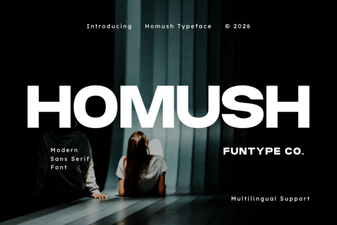 Homush Font: a Creative Typeface for Bold Design Projects
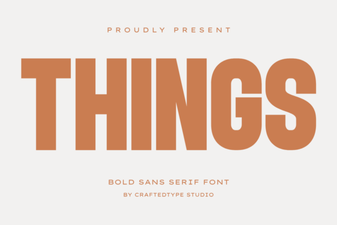 Things Font: Clean Design Ideas for Modern Projects
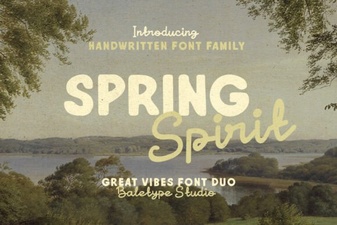 Spring Spirit Font: Fresh and Creative Typography for Your Designs
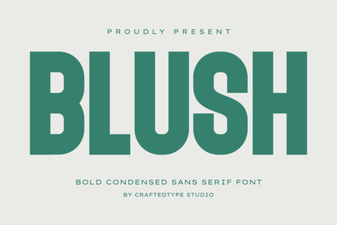 Blush Font: Elegant Script for Creative Design Projects
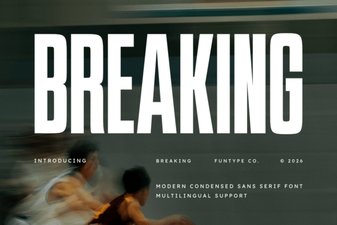 Breaking Font: Bold Typography for Creative Design Projects
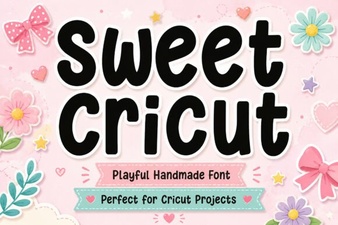 Sweet Cricut Font Ideas for Beautiful Diy Projects