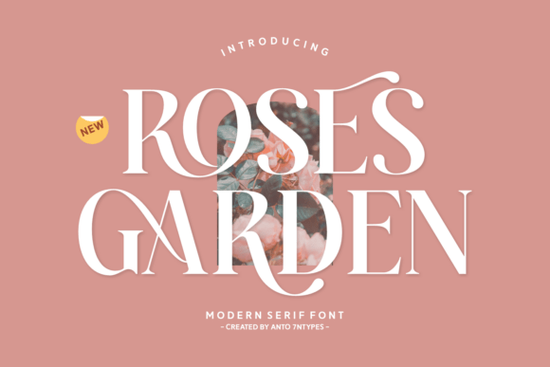
The Roses Garden Font is a decorative serif typeface with an elegant, romantic personality. It blends soft swashes, heart-shaped flourishes, and a warm orange-rose tone into a style that feels both modern and timeless. If you're looking for a font that works across wedding invitations, branding, book covers, and print-on-demand designs, this one is worth a closer look. Here's what makes it stand out and how you can actually use it in your projects.
What Kind of Design Style Does Roses Garden Font Fit?
Roses Garden sits in that sweet spot between fancy and readable. It carries a romantic, feminine energy without being overly scripted or hard to decode. Think floral branding, boutique logos, love-themed greeting cards, and elegant magazine layouts. The font comes with regular, italic, ligatures, and alternate styles, so you get real variety within one family.
It also supports multiple languages, which matters if you sell internationally or work with clients in different regions. That multilingual coverage makes it a practical choice, not just a pretty one.
Where Can You Use This Font?
Here are some real-world uses that designers, crafters, and small business owners commonly reach for this style of font:
- Wedding invitations and save-the-dates the swash details and heart accents are a natural fit
- Birthday cards and party stationery the cheerful, lively letter shapes work well for celebrations
- Logo design for boutiques, florists, and beauty brands
- Book and magazine covers adds personality without sacrificing legibility
- Print-on-demand products T-shirts, tote bags, mugs, and wall art
- Social media graphics and quote posts
- Packaging design especially for cosmetics, candles, or artisan goods
- Photo overlays and watermark accents
Whether you're building a brand from scratch or refreshing an existing visual identity, this font adds a distinct charm that's hard to replicate with standard serif options.
How Does Roses Garden Compare to Other Elegant Serif Fonts?
If you're exploring the serif font category, there are a few other options worth considering alongside Roses Garden. For a classic, refined look, The Paloma offers a more traditional serif structure with graceful proportions. Designers who prefer something with a slightly bolder presence might look at Lovine, which carries its own personality.
For those drawn to sophisticated, editorial-style typefaces, Emerale brings a polished feel that pairs well with luxury branding. And if you want something that leans into high-end fashion or lifestyle aesthetics, Refined Society is another strong contender in that space.
Each of these fonts serves a slightly different mood, but they all share that quality of looking intentional and professional which is exactly what you want when a client or customer sees your work for the first time.
What File Formats and Features Are Included?
When you download Roses Garden from Creative Fabrica, you get access to the full character set along with stylistic alternates and ligatures. These extras let you customize headlines and display text so that repeated letters don't look identical a small detail that makes a big difference in professional design work.
The font works across standard design software including Adobe Illustrator, Photoshop, Canva, and Procreate. If you're running a print-on-demand business, that compatibility matters because you need fonts that render cleanly on both screen and print.
Is Roses Garden Font Right for Your Project?
Ask yourself these questions:
- Does your project call for a romantic, elegant, or feminine tone?
- Do you need alternates and ligatures for variety in display text?
- Will the font be used for headlines, logos, or short text blocks rather than long paragraphs?
- Do you need multilingual support for international audiences?
If you answered yes to most of these, Roses Garden is a solid match. It's designed for display use, so pair it with a clean sans-serif or simple serif for body text to keep your layouts balanced.
Quick tip: Before purchasing, preview the font with your actual project text. Type out your brand name, headline, or card message in the font previewer to make sure the swashes and alternates work well with your specific letter combinations. Some character pairs look better than others, and a quick preview saves you revision time later.
Your Next Step
Download the Roses Garden Font from Creative Fabrica, test it with a real project mockup, and pair it with a complementary body font. Start with one use case like a wedding invite or a logo concept and see how it fits your style before rolling it into your full design toolkit.
Download Now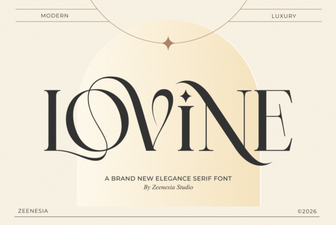 Lovine Font: Elegant Typeface for Modern Creative Projects
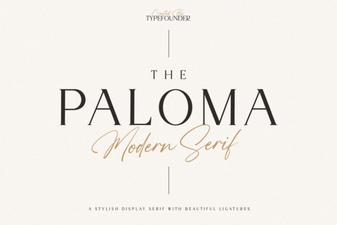 The Paloma Font: Elegance in Modern Typography
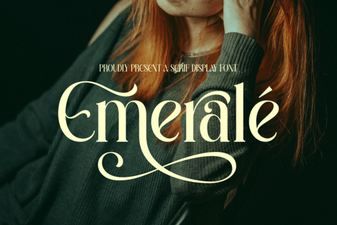 Emerale Font - Elegant Serif Typeface for Sophisticated Designs
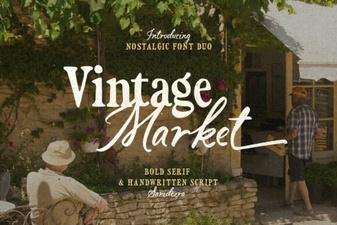 Vintage Market Font: Classic Charm for Modern Projects
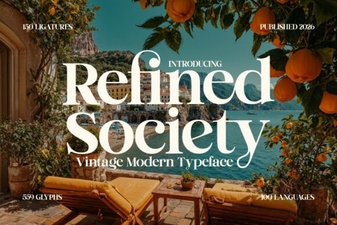 Refined Society Font – Elegant Serif Typeface for Timeless Design
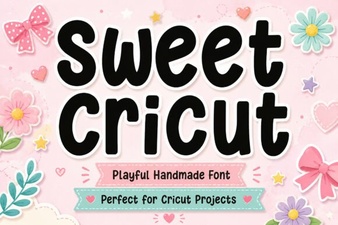 Sweet Cricut Font Ideas for Beautiful Diy Projects